
Prerequisites
This plugin is an extension that adds a confirmation screen to Contact Form 7.
It is assumed that Contact Form 7 has been installed and activated.
1. Installing the plugin
- Upload the plugin
- Go to ‘Plugins’ in the admin panel → Activate
Once activated, in the Contact Form 7 form editor
2. Adding a button to a form
The tag `,` will be added to the Contact Form 7 form editor for the confirmation page.
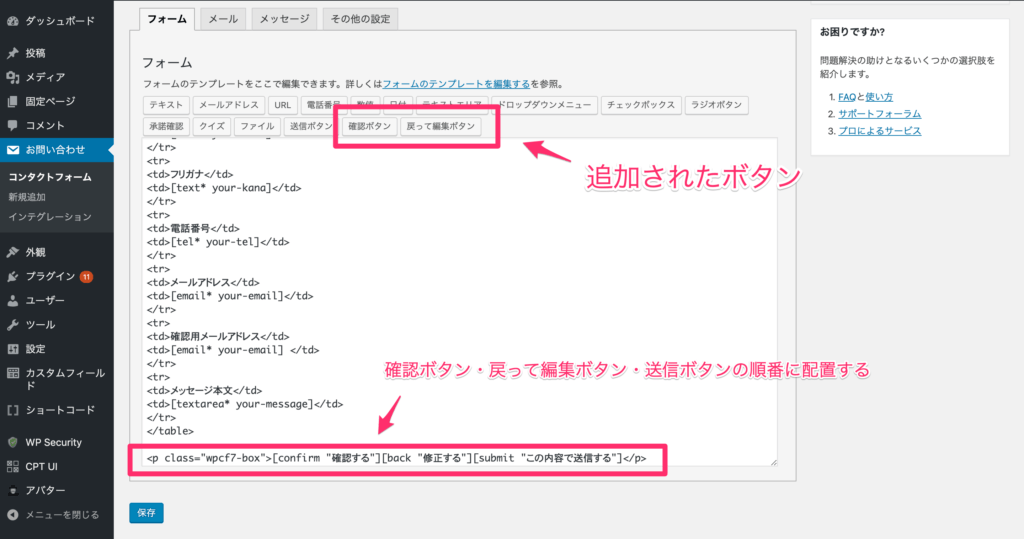
[confirm "Confirm"]
[back "Edit"]
[submit "Submit"]
Or, to summarise:
<p class="wpcf7-box">
[confirm "Confirm"][back "Edit"][submit "Submit"].
</p>
Notes
- [confirm] → Proceed to the confirmation screen
- [back] → Return to the input screen
- [submit] → Submit
The button text can be changed as required
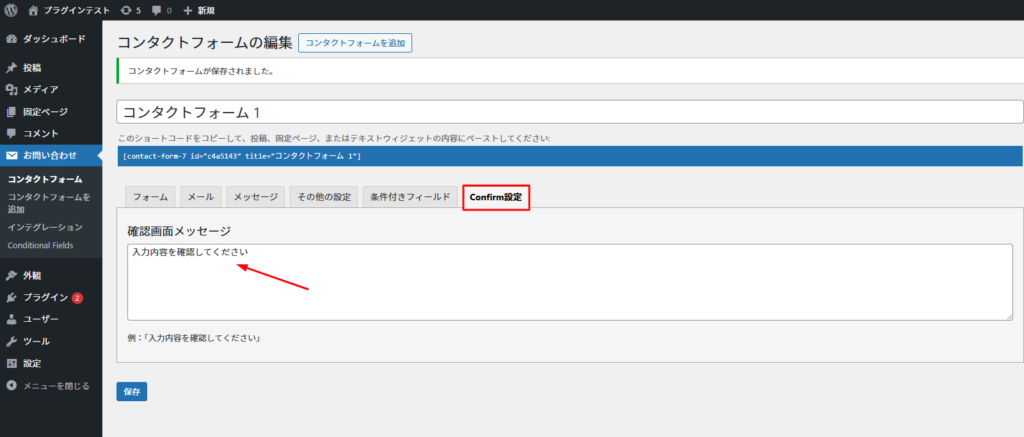
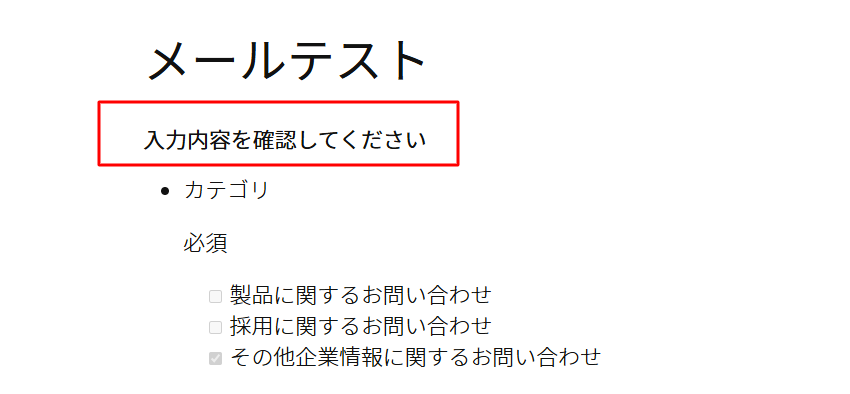
On the ‘Confirmation Settings’ tab, you can set the text that appears at the top of the form during confirmation.

3. Workflow
The form operates in the following three steps.
- Input screen
- Confirmation screen
- Submission complete
Behaviour of the confirmation screen
- Press the ‘Confirm’ button → Confirmation screen displayed
- Press the ‘Back’ button → Return to the input screen
- Press the ‘Submit’ button → Email sent
You cannot edit the details on the confirmation screen; please go back to make any changes.
4. Representational Control (Applications)
If you wish to switch between the input screen and the confirmation screen,
you can use a dedicated class.
Example:
- Display only the input screen
- Display only the confirmation screen
(※ This can also be extended in the fork version)
5. Points to note during implementation
- The button order must be confirm → back → submit
- Replacing the standard submit button in Contact Form 7
- May not work due to JavaScript or caching
6. Key Points of the Fork Version
The norick version assumes the following:
- Compatible with the latest WordPress / PHP 8.2
- Security improvements (escape, nonce, etc.)
- Compatible with existing forms
Summary
- Setup is completed simply by adding three tags
- A confirmation screen can be added without altering the UI
- Can be implemented without disrupting existing forms